Termux Setup :-
Now in this post we learn setup of Termux & Basic Commands of Termux.
Now follow the following steps for setup of termux :-
1) Allow the Storage Permission to Termux:-
Step1:- ( If Termux is installed in your phone) Go to the setting.

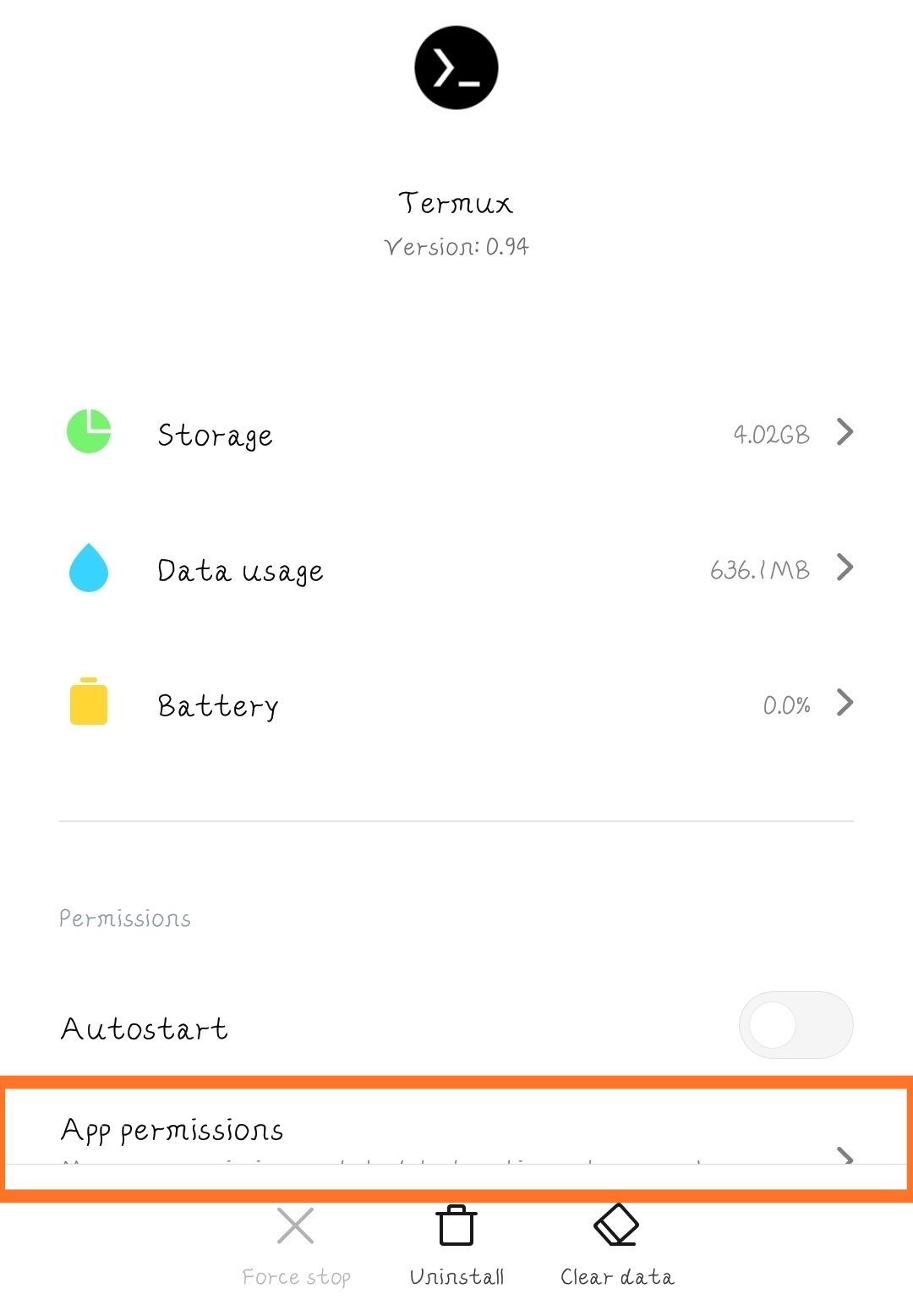
Step2:- Click on ‘Manage apps’ options. Then select the Termux apk.

Step3:- Then it looks like below image. Then go to the app permission option.
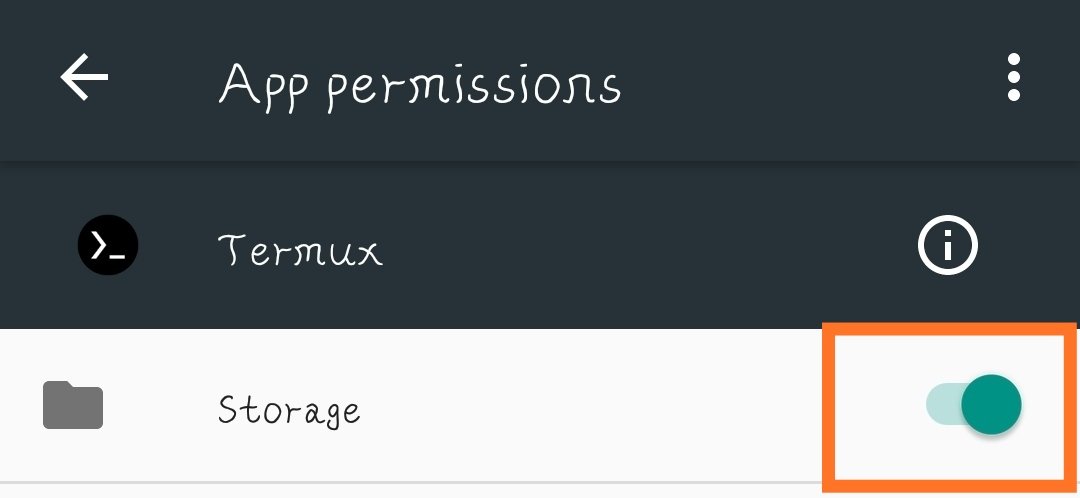
Step4:- And allow to the Storage Permission. {By this steps Termux can access our Storage}
2) Update & Upgrade Termux :-
Now we learn to Update & upgrade to Termux. But first you know to Commands that use for update & upgrade Termux. Termux is not update by any click or button, but we use commands for Update & upgrade termux.
Why Update & upgrade termux:-
I tell you in my previous post that Termux install its own tools with it. Then by updating termux we update a termux tool list. Then termux can access it’s tools. Then we can install termux tools. By upgrading termux it upgrade termux all installed tools.
How to update termux:-
For updating termux 2 commands are available for Termux.
1) apt update
2) pkg update
(Are 2 c\nommands)
Explanation:-
1) apt update:-
‘apt’ is termux tool. apt is a commandline package manager. apt has a many uses. apt means tool or package. Then ‘apt update’ means updating termux tools or packages.
2) pkg update:-
‘pkg update’ is same as apt update.
Follow the following steps to update termux:-
Step1:-Open the Termux.

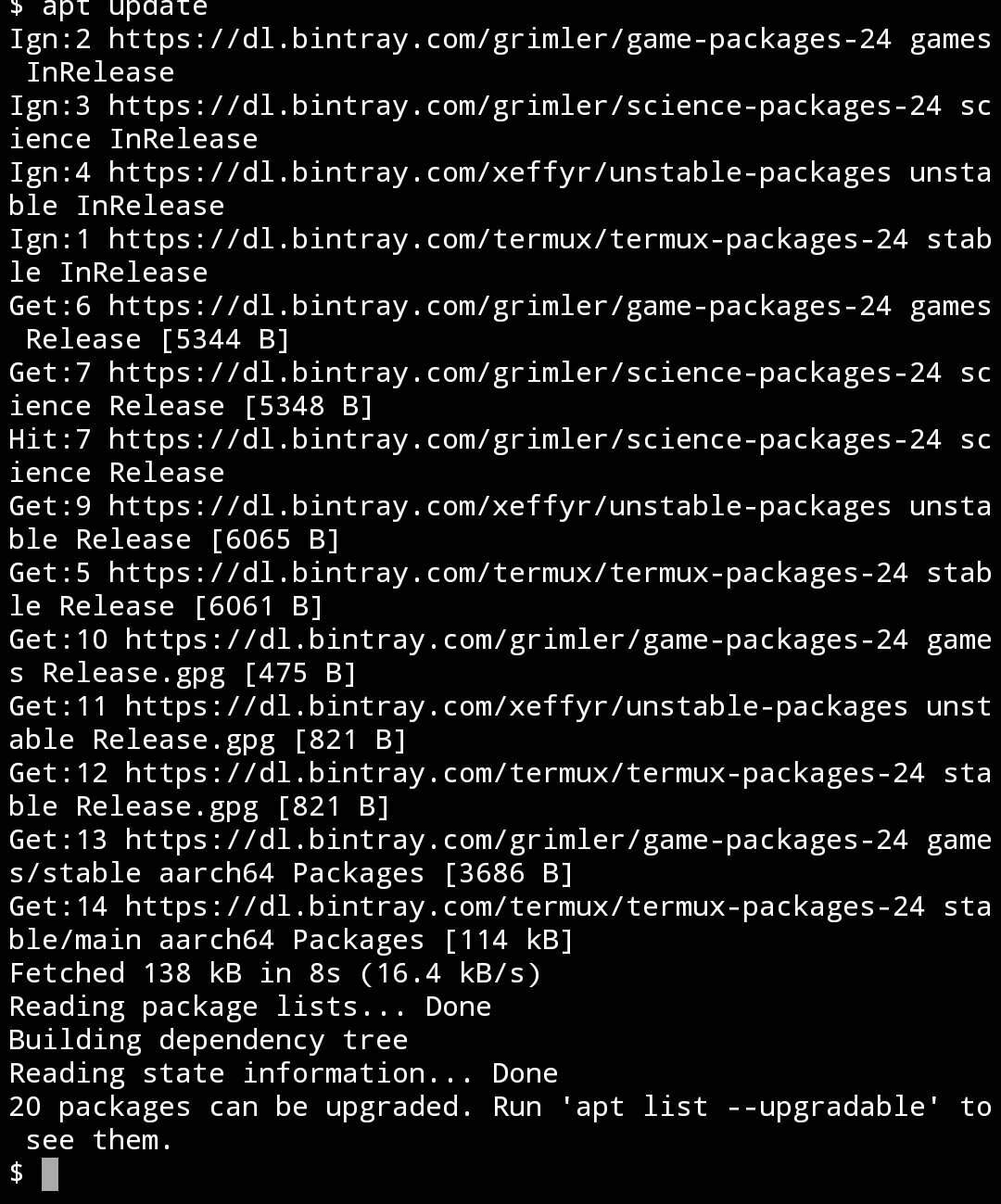
Step2:- Type the command ‘apt update’ or
‘pkg update’. {But first on the internet connection}

Step3:- Then Enter.(Then termux automatically update. It takes some Seconds or minutes.)
How to upgrade termux:-
For upgrading termux 2 commands are available for Termux.
1) apt upgrade
2) pkg upgrade
(Are 2 commands)
Explanation:-
1) apt upgrade:-
This command is also use apt tool because apt is package manager. apt is use for installing, upgrading, updating, searching, uninstalling termux tools. We learn apt tool in detail .
2) pkg upgrade:-
This command same as apt upgrade. But pkg is also tool & it use for sometime apt is not working. We learn it n details after.
Follow the following steps to update termux:-
Step1:- (after updating termux) Type ‘apt upgrade’ or ‘pkg upgrade’ command in termux.
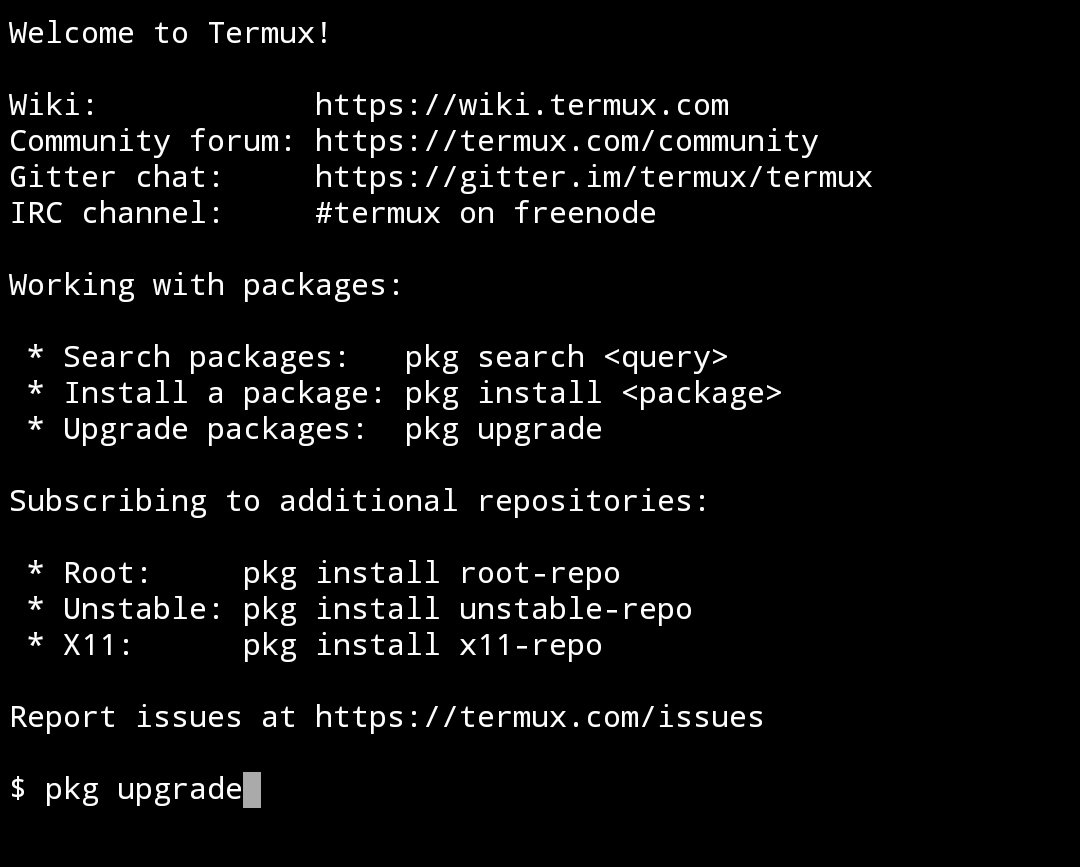
Step2:- Then Enter( Then termux upgrade automatically in some Seconds or Minutes.)

How to use ‘update’ & ‘upgrade’ command at a one time:-
We can run more than 1 command at one time. It’s has 2 to 3 method for this. I tell you first simple method. 1) && :- ‘&&’ is a ‘logical and’ use in many programming languages like ‘C’ , ‘C++’, ‘java’ ,etc. The meaning of this symbol in programming languages as ‘and’. By help of this symbol we can run more than 1 command at a time by inserting ‘&&’ after a first command if you want run 2 commands. If you want to run 3 command then insert ‘&&’ after first and second command.
Ex:- apt update && apt upgrade.
Follow the following steps for update & upgrade at one time:-
Step1:- Type the command ‘apt update && apt upgrade’ in termux.
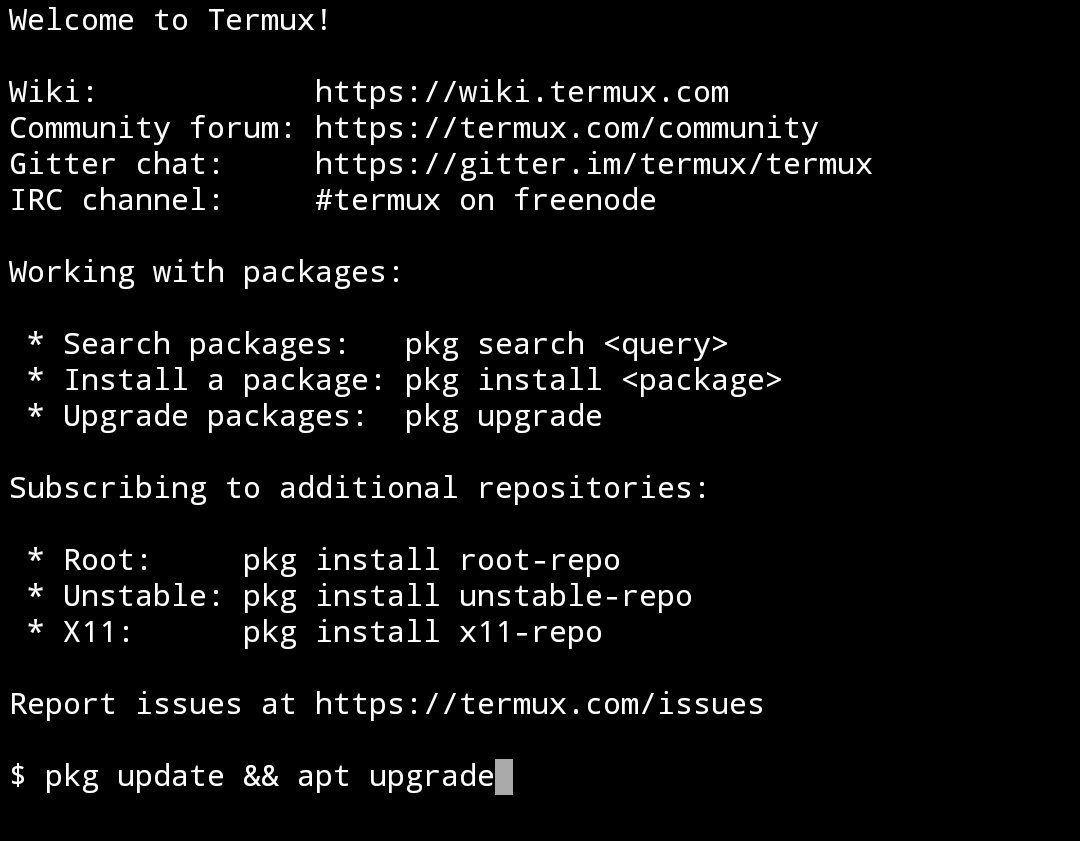
Step2:- Then Enter(after this 2 commands are run at a time automatically.).
After this termux setup is complete. Then we learn termux commands in My next video on YouTube Termux Commands & in my next post on this site.
Watch Video here👇
For Download this 👆video
Click👇here
For Download theory part of👆this video Click👇here for download PDF
For Download zip file of video & theory
Click👇here
 Termux Teach Hindi